
Searching Cases by Name
Both the District Clerk and County Clerk link to the official Medina County Tyler Public Access portal. It serves public district and county-level cases. Not every feature is guaranteed, though. Another Tyler site may offer a field, an account option, or a document download. That does not mean this one does. Test the portal itself before counting on any of it.
- Identify whether the case belongs to the 454th District Court or Medina County Court at Law.
- Open the official Tyler link from a Medina County clerk page.
- Enter the party name as the live form requests, using the narrowest public search likely to work.
- Apply court, case-type, or date filters only when those controls appear.
- Compare the court, filing date, case type, and case number before opening a result.
- Open the detail or docket view and verify settings, events, status, and disposition in context.
| Search Detail | Use | Required | Medina County Note |
|---|---|---|---|
| Party name | Text | Portal dependent | Try exact spelling and lawful alternate forms. |
| Court | Filter | No | Separate 454th District from County Court at Law. |
| Case type | Filter | No | May distinguish criminal, civil, family, or probate. |
| Date range | Date filter | No | Use filing dates, not guessed hearing dates. |
Do not copy sensitive details from a match. Two people can share one name, and a name match by itself proves nothing about identity or outcome.
Medina County Tyler Portal Boundaries
The Tyler system is Medina County's named public route for district and County Court at Law records. But it is not universal. A DPS citation can belong to one of four justice courts. A Class C case filed by city police usually stays in that city's municipal court, and those dockets may live on their own pages, PDFs, payment systems, or clerk counters.
Live screens decide what the portal actually shows. Fields, document availability, fees, and account behavior can only be confirmed on the working page. If a session fails, fall back to the District Clerk or County Clerk page. Call the right office. Or use the public terminal the County Clerk describes. One failed session does not mean the case is missing from the Medina County court records. The official Tyler landing page holds the county interface.
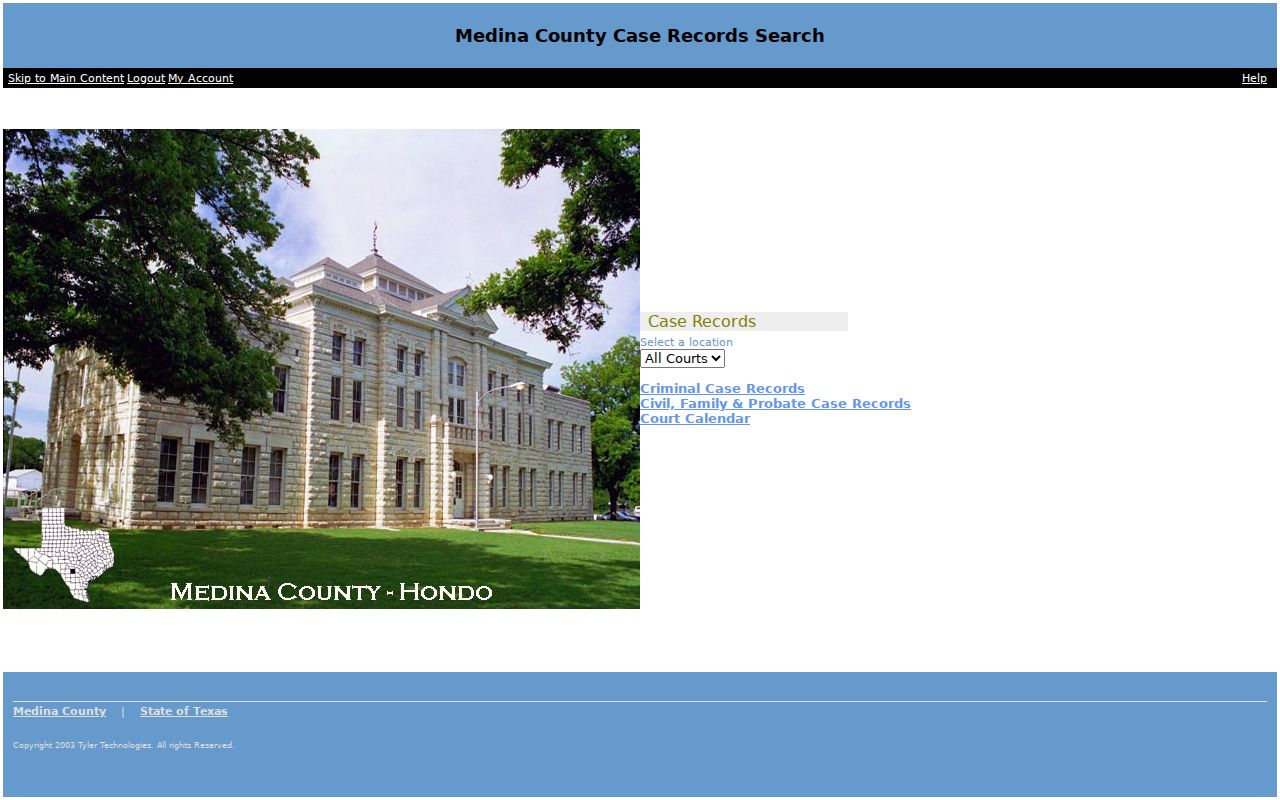
The screen points you to the route. Filters and record depth have to be checked in every search.
Searching by Case Number
A complete cause number is the strongest key for a Medina County case search. Enter it exactly as printed on the citation, notice, pleading, or order. No single digit pattern spans the 454th District Court, County Court at Law, JP courts, and municipal courts. Treat CAUSE-NUMBER-AS-PRINTED as a court-assigned key rather than a code you can guess in pieces.
If the number returns nothing, strip only punctuation the form rejects. Never strip the digits or a year prefix. Check whether the paper says cause number, case number, or citation number. Route the query to that court. Older Medina filings may carry a 38th District Court label, because pending cases transferred when the 454th was created in 2019. Search both labels where the system allows. Ask the District Clerk about transferred files.
Medina County Clerk Search Fallbacks
Online access is only one channel. The District Clerk keeps 454th Judicial District Court records and advertises public access from 1990 to the present, at 1300 Avenue M, Room 201, Hondo. The number is (830) 741-6070. The County Clerk handles County Court at Law records from Room 163 at the same annex. The listed number is (830) 741-6040.
The County Clerk also provides public indexes and a computer terminal. A written request should identify the person, the time period, and the specific result sought, along with the stated payment form and a self-addressed envelope. Do not call to verify results, per the clerk page. Phones still work for procedure, hours, routing, and current access, but the written workflow controls a requested search.
Use the correct clerk. District cases go to the District Clerk; County Court at Law cases go to the County Clerk.
Municipal and justice-court matters remain with the named city or precinct court.
Mail and counter searches reach records the portal lacks. Before ordering, ask about copy format, certification, and current cost.
What a Case Search Returns
A result row is a lead, not the whole record. Open the detail view and read events in date order. Visibility varies by court, case type, redaction, and system settings, so a docket event may point to a filing or order whose image is restricted, offline, or behind a copy charge.
| Case Number | The court-assigned identifier and best key for a repeat search. |
|---|---|
| Style or Parties | The case caption or public party display; it may be redacted. |
| Court | The assigned district, County Court at Law, JP, or municipal court. |
| Case Type | A category such as criminal, civil, family, probate, debt, eviction, or traffic. |
| Filed Date | The date accepted or entered, which may differ from submission. |
| Status | An open, closed, disposed, or other label needing event context. |
| Settings | Planned hearings or trials that can be reset, passed, or removed. |
| Docket Events | The chronological index, not necessarily the full file. |
Read labels with care: "Filed" is not granted, "Scheduled" is not held, and "Dismissed" is not the same as acquitted or expunged. Check the disposition and judgment whenever they appear.
Medina County Filing Is Not Searching
Filing a case in Medina County is one thing. Searching one is another. Texas runs electronic filing through eFileTexas. It handles the paperwork a filer submits to start a case. None of it gives public access to court files. An account there, a filing code, a lead document, service contacts, and an acceptance status all describe submission, not public access to the Medina County court docket. It is not a case-search portal for the public. Pick the wrong system and you may read a false “no result.”
A similar trap sits with the County Clerk land-record portal at medina.tx.publicsearch.us. That site searches deeds and other recorded instruments, with index and OCR text options. It is not the Tyler court docket. Match the database to the record type before you search. Otherwise the docket you want stays hidden while the wrong system returns nothing.
Statewide vs County Case Search
re:SearchTX is Texas's statewide electronic court-record access layer. It helps when a case may cross county lines or the county is unknown. What you can see depends on your role, the record type, participating data, the account flow, and document availability, and protected information is not meant for distribution.
| re:SearchTX | Medina County Tyler Portal |
|---|---|
| Statewide electronic-access scope | Local district and county case route |
| Useful when county is uncertain | Best when Medina County and court are known |
| Account and access can vary | Live fields and document depth can vary |
| Not a substitute for the custodian | Does not cover every JP or city docket |
Search statewide and county systems only when it serves the case. Note the source, date, court filter, and query terms so later checks can be compared.
Read Medina County Docket Terms Carefully
Medina County docket entries lean on short labels that carry real weight. A motion only asks the court for something; an order is the judge actually ruling, and a proposed order is not a signed order. A reset shifts a setting to a new date and a continuance postpones it, but neither one dismisses the case.
- Disposed
- An outcome was entered; read the disposition text and judgment.
- Restricted
- A case or document has an access limit; ask whether a public redacted copy exists.
- Document image
- The filing or order behind a docket line, with separate access rules.
- Certified copy
- A clerk-authenticated record for uses an ordinary print may not satisfy.
Think of a docket sheet as a timeline. It is an index, and it may leave out some filings entirely. When a line matters, trace it back to the filed record or a certified copy and confirm the entry with the Medina County clerk.
Access and Restricted Cases
Public access to a Medina County docket has lawful limits. Texas Rule of Civil Procedure 76a governs the sealing of civil court records. Rule 21c requires sensitive data to be redacted first. Texas Family Code Chapter 58 restricts juvenile records on top of that. Expunction orders, nondisclosure orders, protective orders, and other case-specific orders can each change what a public docket search shows.
When a case number appears but the document behind it does not, the docket is visible. The document itself is restricted or unavailable. It does not mean the document never existed. If no case shows up at all, check the court, the year, the name spelling, the case type, and any transfer history, and ask whether the source leaves out municipal, JP, juvenile, or criminal material. You can also ask the clerk. A redacted public copy or a procedural index may be releasable. Never try to bypass an access control.
Verify Medina County Search Results
A Medina County case search is most reliable when four things line up. The court, the case number, the event date, and the source should all agree. Confirm any near-term hearing with the clerk or coordinator. Entries and court calendars can lag behind. For a final outcome, find the disposition or judgment itself. A status badge is not a result. Do not read one as if it were.
The Texas Public Information Act does not simply hand over every court filing. Judicial and court-case records answer to court rules, statutes, constitutional principles, clerk procedures, and sealing orders instead. Ask the proper custodian. Which rule or process applies depends on the record you want.